
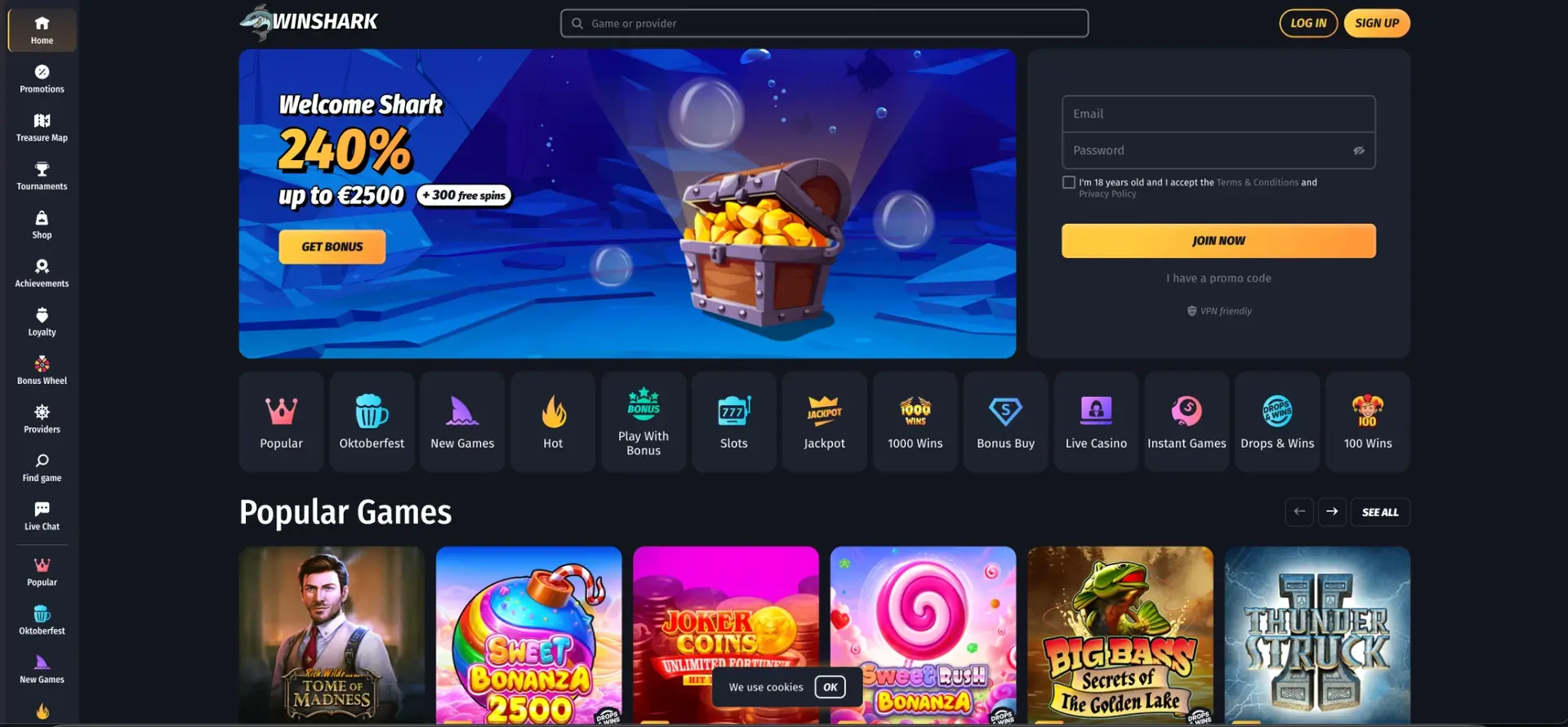
There is no native Winshark casino app in the App Store or Google Play, and no official APK file to download. Instead, Winshark runs as a mobile-optimised website that works in Safari, Chrome and other modern browsers on iOS and Android, with the same account, AUD balance, games, bonuses and withdrawal options as on desktop. A home screen shortcut makes the site open with one tap, just like an installed app, and it never needs manual updates. The only external app connected to the casino is Telegram, which is used for the Bonus Wheel.
Because no official app exists, any file offered as a "Winshark APK" on third-party sites should be avoided, as it is not distributed by the casino. The sections below explain how to open Winshark on a phone, how to add the shortcut on iOS and Android, which features are available on mobile and how payments and security work on smaller screens.
| Feature | Mobile browser details |
|---|---|
| Download required | No - runs entirely in the browser |
| iOS access | Safari, Chrome or Firefox |
| Android access | Chrome, Firefox, Samsung Internet or any modern browser |
| Home screen shortcut | Available on iOS and Android |
| Game catalogue | Same as desktop: pokies, jackpots, Bonus Buy, instant and live games |
| AUD deposits and withdrawals | Full Wallet available on mobile |
| Bonus access | Welcome Shark, Treasure Map, reloads, cashback, tournaments |
| Bonus Wheel | Through the Winshark Telegram bot |
| Live casino | Streamed in the mobile browser |
| Security | Encrypted connection, same as desktop |
| Updates | Automatic, no manual updates |
Is there a Winshark casino app for Android or iOS?
No. Winshark does not publish a native application for iPhone, iPad or Android devices. Real-money casino apps face strict store rules that vary by country, and many casinos licensed in Curaçao choose a browser-based approach instead. For the player, this means no storage space taken on the phone, no app updates and no difference between the mobile and desktop versions of the account.
The mobile site is not a reduced version of the casino. The lobby, Wallet, Promotions, Treasure Map, Tournaments, Shop, Loyalty Club and Live Chat all work on a phone, and progress is shared across every device that uses the same login.
How to open Winshark on mobile
Getting started on a phone takes the same steps as on a computer:
- Open a browser on the smartphone or tablet.
- Type winshark com into the address bar.
- Tap LOG IN to enter an existing account or SIGN UP to create one.
- Use email and password or the Google button to authenticate.
- Open the side menu to reach Promotions, Treasure Map, Loyalty and other sections.
How to add Winshark to the home screen
A home screen shortcut is the closest equivalent of a Winshark casino app. It places the casino icon next to other apps and opens the site directly, without typing the address each time.
iPhone and iPad (Safari)
On iOS, the shortcut is created through the Share menu in Safari:
- Open winshark com in Safari.
- Tap the Share icon, the square with an arrow pointing up.
- Scroll down and tap Add to Home Screen.
- Keep the name "Winshark" or enter a different label, then tap Add.
- Open the casino from the new icon on the home screen.
Android (Chrome)
On Android, the option sits in the browser menu:
- Open winshark com in Chrome.
- Tap the three-dot menu in the upper-right corner.
- Select Add to Home screen.
- Confirm the name and tap Add.
- Launch the casino from the icon on the home screen.
Features available in the Winshark mobile version
All main sections of the casino are adapted to touch screens. The table of contents of the mobile site matches the desktop sidebar:
- Lobby: Popular, Oktoberfest, New Games, Hot, Play With Bonus, Slots, Jackpot, 1000 Wins, Bonus Buy, Live Casino, Instant Games, Drops & Wins and 100 Wins.
- Search: game and provider search with a full list of studios.
- Wallet: deposits, withdrawals and transaction history in AUD.
- Promotions: Welcome Shark, Madnessday Bonus, Cyber Reload and Floating Cashback.
- Treasure Map: the daily bonus and its promo code.
- Tournaments: active, upcoming and past events with timers.
- Shop, Achievements and Loyalty: coins, tasks, levels and ranks.
- Live Chat: 24/7 support from any page.
The Bonus Wheel and Telegram
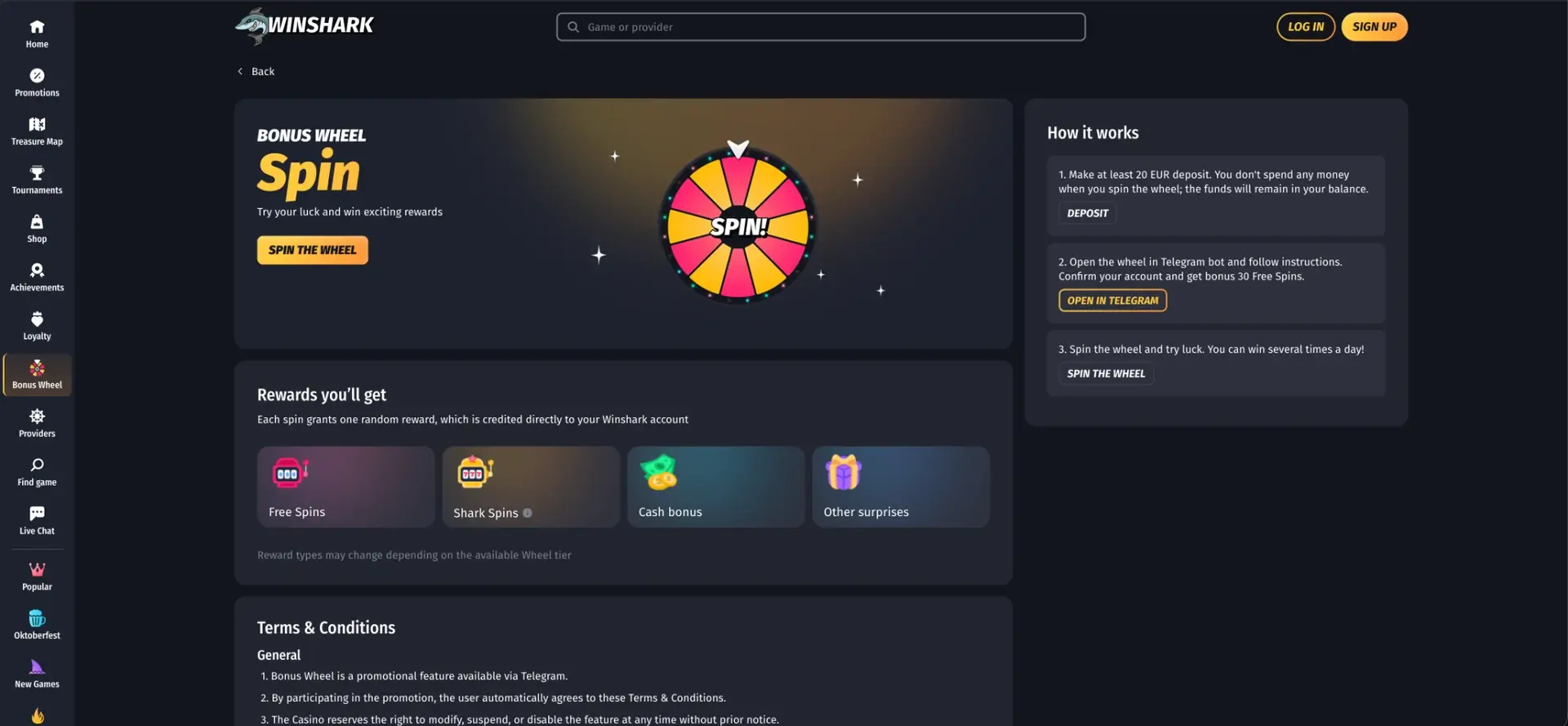
The Bonus Wheel is the one Winshark feature that works through a separate app. After a deposit of at least approx. AUD 35, the wheel is opened in the Winshark Telegram bot, where the account is confirmed and 30 free spins are credited as a one-time reward. The wheel can then be spun several times a day for free spins, Shark Spins, cash bonuses or other prizes, all credited to the casino account. Spinning does not deduct money from the balance.
Since Telegram is usually installed on a phone, mobile is the most convenient way to use the Bonus Wheel every day.
Games on mobile
Pokies from providers such as Pragmatic Play, Play'n GO, BGaming, Endorphina and Playson are built in HTML5 and adapt to portrait and landscape modes. Titles like Big Bass Splash 1000, Hot Chilli Bells, Legacy of Egypt and Ultimate Coins: Hold And Win run on phones with the same features as on desktop, including bonus rounds and Hold and Win mechanics. Most games open in demo mode before a deposit.
Live tables from Playtech, Imagine Live, Live Vegas, Plati+ and True Labs stream in the browser. A stable Wi-Fi or 4G/5G connection is recommended for live blackjack and roulette, as video quality adapts to the available speed.
Mobile payments and withdrawals in AUD
The Wallet on mobile offers the same methods as on desktop, and the list depends on the account country and transaction type. Limits are not reduced on mobile, and withdrawal caps depend only on the loyalty rank.
| Method type | Examples | Mobile use |
|---|---|---|
| Bank cards | Visa, Mastercard | Card details entered in the Wallet form |
| E-wallets | MiFinity, Skrill, Neteller, Jeton | Redirect to the wallet's own app or page |
| Cryptocurrency | Bitcoin, Ethereum, Litecoin, Tether, Ripple | Wallet address can be copied straight into a crypto app |
| Bank transfer | Direct transfer | Details shown in the Wallet |
| Withdrawal limits | Entry rank | AUD 900 per day, AUD 18,000 per month |
Crypto deposits are particularly easy on a phone, as the address can be copied from the Wallet and pasted into a crypto app on the same device. The network selected in the casino must match the network used in the crypto wallet.
Security of the mobile version
The mobile site uses the same encrypted connection and account protection as the desktop version. Payment pages open inside the Wallet or redirect to the payment provider's own secure page. Verification documents can be uploaded from the phone's camera or gallery, which makes the KYC step faster on mobile than on a computer.
The main risk on mobile comes from unofficial downloads. Since Winshark does not distribute an APK, files offered under the casino's name on third-party sites may contain malware and should not be installed.
Usage tips for Australian players
A few practical points make Winshark easier to use on a phone:
- Use the home screen shortcut instead of searching for the site each time.
- Activate the Time Track Notification in My Account → Settings to see a reminder after 60, 90 or 180 minutes of play.
- Check the Treasure Map each day, since bonuses for missed days cannot be claimed later.
- Activate Treasure Map bonuses within 24 hours, as they expire quickly.
- Upload ID and proof of address from the phone camera before the first withdrawal.
- Use Wi-Fi for long live casino sessions to keep the stream stable.
FAQ about the Winshark casino app
Answers to common questions about playing Winshark on a phone or tablet.
Is there an official Winshark casino app?
No. Winshark has no native app for iOS or Android. The casino works through a mobile browser, and a shortcut can be added to the home screen.
Can I download a Winshark APK for Android?
The casino does not offer an APK. Files presented as a Winshark APK on other sites are not official and should not be installed.
Can I claim bonuses on mobile?
Yes. The Welcome Shark package, Treasure Map, reload bonuses, cashback and tournaments are all available in the mobile version.
Does the Bonus Wheel work on mobile?
Yes. The Bonus Wheel runs through the Winshark Telegram bot, which is most convenient on a phone.
Can I withdraw in AUD from my phone?
Yes. The Wallet on mobile supports deposits and withdrawals in AUD with the same methods and limits as on desktop.
Do I need a separate account for mobile?
No. The same login works on all devices, and the balance, bonuses and loyalty progress are shared.